 HIERRO
Log it. Beat your last time. Repeat.
Hierro is the classic gym notebook, on your phone: free and unlimited. Unlimited routines, your full history and charts that never expire. No AI, no rankings and no social feed.
On iPhone: open the site in Safari and choose Share → Add to Home Screen. The iPhone app will come after the Android one.
- Free
- No limits
- No AI
- 10 languages

How it works
Three steps, no sign-up needed.
Build your routine
Set your days, exercises, sets and rests. If you plan in cycles, Hierro understands microcycles, blocks and deload weeks.
Train and log
When you open the day you see what you did last time, with the weights already filled in. Log your reps and the rest timer starts by itself.
See your progress
Charts per exercise and per muscle group, volume for each cycle and a calendar. Your whole history, with no time limit.
What Hierro does
A notebook for people who lift and want to see their progress, without the noise.
Beat your last time
Every set shows what you did last time. Where you hit the top of the rep range, Hierro adds weight; where you did not, it keeps the same.
Unlimited routines
As many routines as you like, with rep ranges, rests between sets and between exercises, and per-side exercises.
Rest timer
It starts when you log your last rep. On the Android app it alerts you on the lock screen and rings when time is up.
Charts that never expire
Progress per exercise and per muscle group, and the volume of each microcycle with its calendar. Your complete history.
Your data is yours
It is stored on your phone. A cloud backup is optional and free, and you can download your backup and delete your account whenever you want.
Bring your history
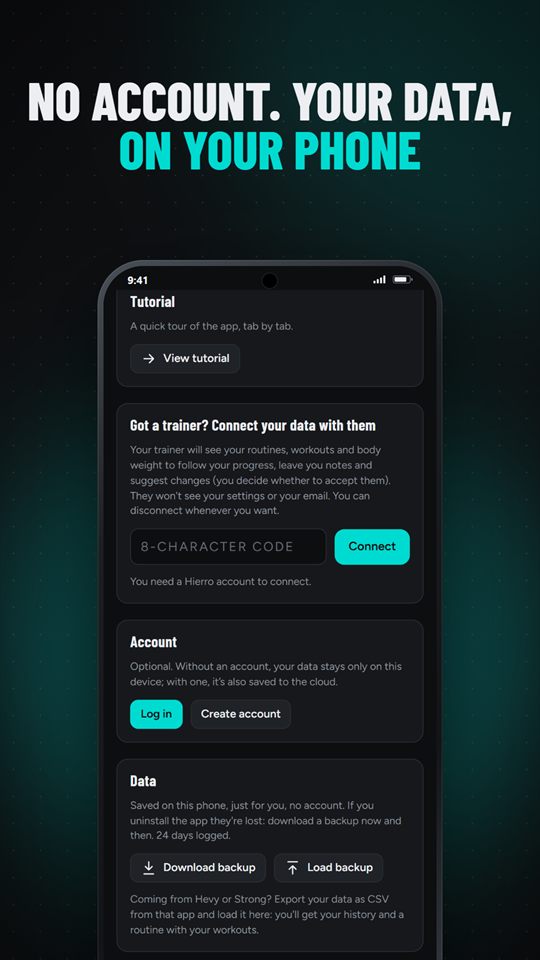
Import your Hierro backup or a Hevy or Strong CSV and carry on where you left off.
In your language
Spanish (Spain and Latin America), English, French, Italian, German, Chinese, Japanese, Catalan and Basque.
No noise
No artificial intelligence, no rankings, no social feed and no body photos. A notebook, not a network.
What it looks like
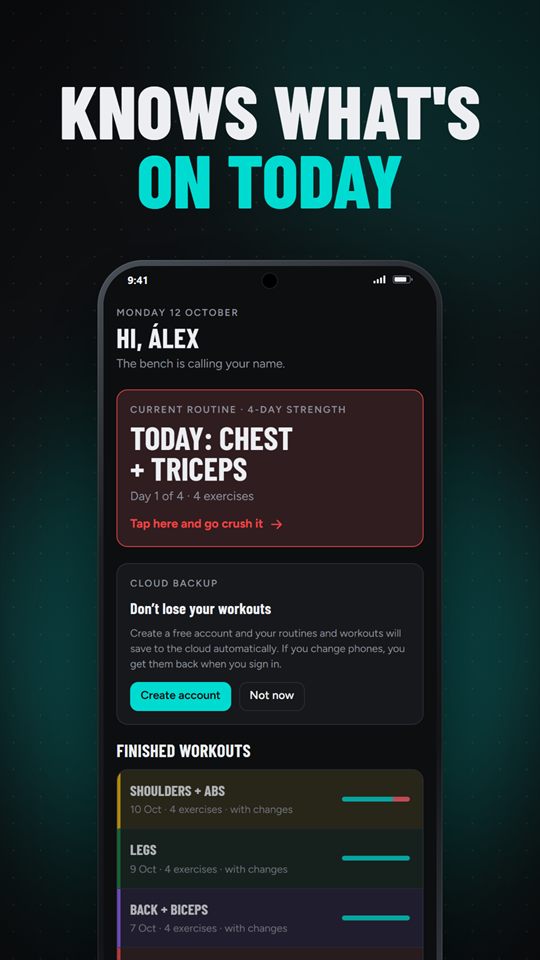
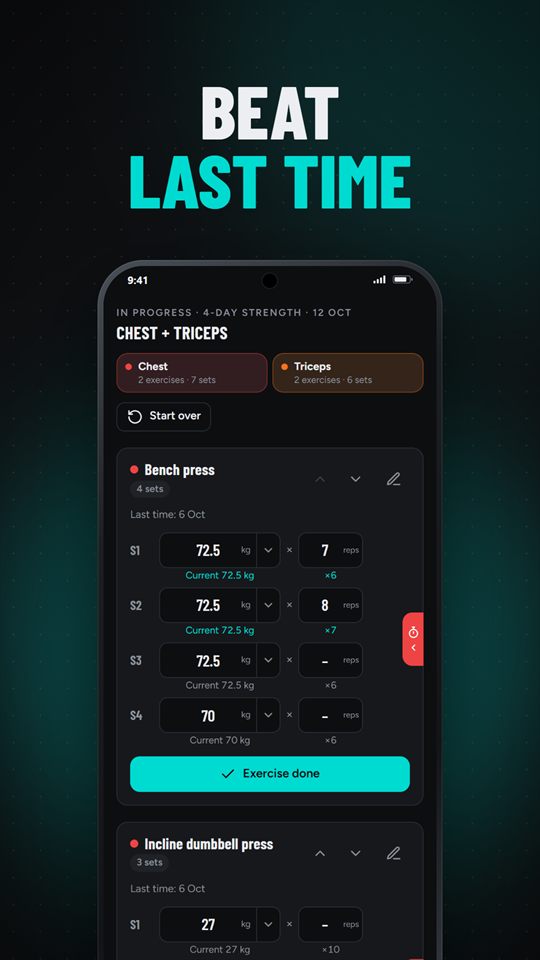
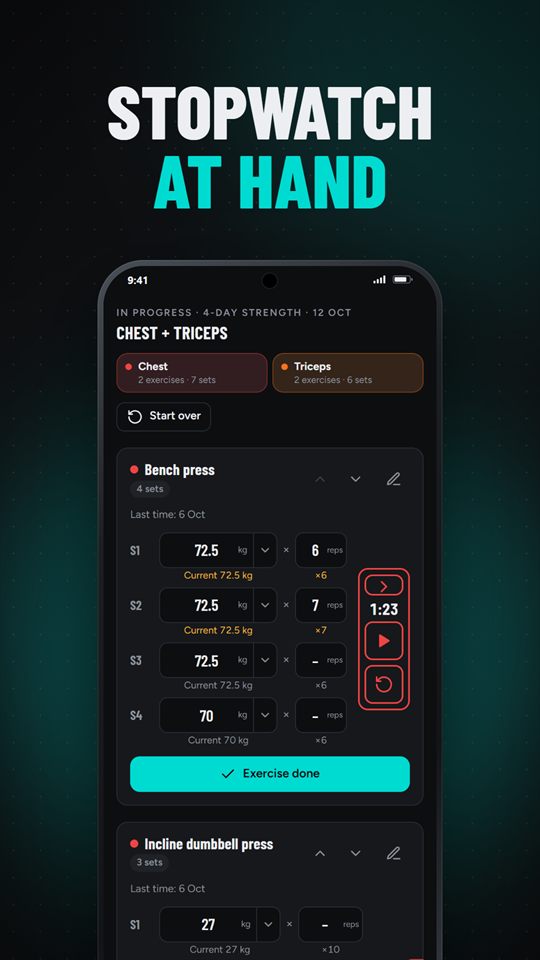
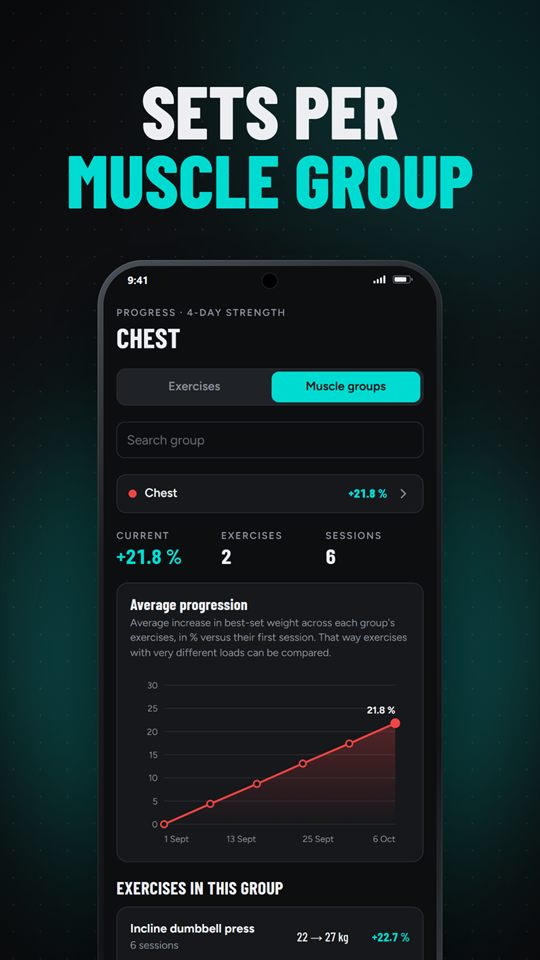
Actually free
All of Hierro is free and unlimited: full routines, history and charts. The Android app shows ads, never while you train. If you would rather not see them, you can remove them:
Paying only removes ads; it unlocks nothing else.
Hierro Office
The web app for personal trainers who work with clients who use Hierro. Clients always own their data and decide whether to accept each change.
- Progress, routine and per-exercise notes for each client
- Routine change proposals that the client accepts or declines
- Agenda with reminders and routine templates
- Reports as PDF, CSV and image
- Works in the browser and installs as an app
Sign-up for new trainers opens soon.

Frequently asked questions
Is it really free?
Yes. Routines, history and charts are complete and unlimited. The Android app shows ads (never during a workout) that you can remove with a one-time €24.99 payment or a subscription of €14.99 per year or €1.99 per month.
Do I need an account?
No. Hierro works without an account and keeps everything on your device. An account is optional: it gives you a cloud backup and lets you link with a trainer using Hierro Office.
Where is my data stored?
On your device. If you create an account, the backup is stored on servers in the European Union. Details are in the privacy policy.
Does it use artificial intelligence?
No. Hierro does not use AI or analyse photos. It shows you what you log, with simple and clear calculations.
Is there an iPhone app?
For now you can use Hierro in your browser and add it to your home screen: in Safari, Share → Add to Home Screen. The iPhone app will come after the Android one.
What is a microcycle?
It is the short cycle of your routine (for example push, pull, legs and rest) that repeats. Hierro counts your microcycles and calculates the volume of each one. You can also plan blocks and deload weeks.
How do I delete my account and data?
In the app: Settings → Your account → Delete my account. Or by email, following the steps on delete account.
How do I contact you?
Write to soporte@hierroapp.com.